Use LIMIT and OFFSET Efficiently in SQL
Pagination is a common requirement in modern applications. Efficiently handling large datasets without slowing down performance is critical…
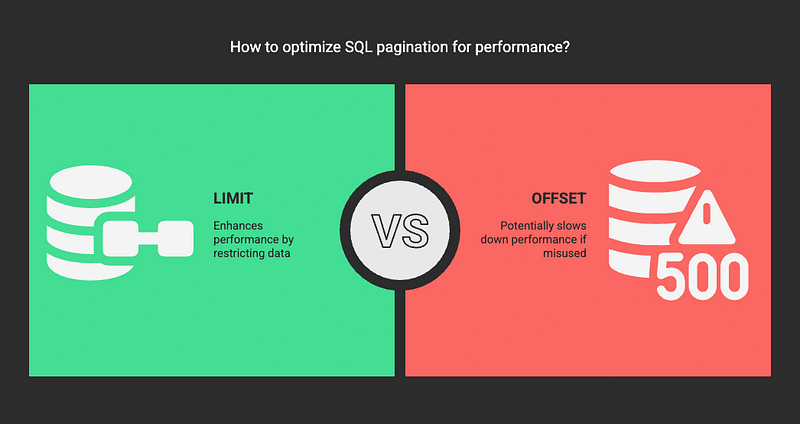
Pagination is a common requirement in modern applications. Efficiently handling large datasets without slowing down performance is critical…—
Use LIMIT and OFFSET Efficiently in SQL
Pagination is a common requirement in modern applications. Efficiently handling large datasets without slowing down performance is critical for creating responsive user experiences. SQL provides powerful tools for this — LIMIT and OFFSET — but misusing them can lead to performance issues. In this post, we’ll explore how to optimize their usage and avoid common pitfalls.
✅ What are LIMIT and OFFSET?
• LIMIT — Specifies the maximum number of rows to return.
• OFFSET — Skips a specified number of rows before beginning to return results.
🔎 Example:
Fetch the first 10 rows:
SELECT id, name, email FROM users ORDER BY id ASC LIMIT 10;
Fetch the next 10 rows:
SELECT id, name, email FROM users ORDER BY id ASC LIMIT 10 OFFSET 10;
❌ Why OFFSET Can Hurt Performance
When using OFFSET, the database firstretrieves and discardsthe skipped rows before returning the actual result. This leads to:
•Increased query timeas the dataset grows.
• High memory and CPU usage for large offsets.
• Slower performance with large tables.
🚀 How to Optimize LIMIT and OFFSET
✅ 1. Use an Indexed ORDER BY Clause
Ensure that the column used in the ORDER BY clause is indexed. Without an index, the database performs a full table scan, which is slow.
🔎 Example:
If the id column is indexed, this query will be fast:
SELECT id, name, email FROM users ORDER BY id ASC LIMIT 10 OFFSET 100;
If the id column is not indexed, the database will scan the entire table, leading to poor performance.
✅ 2. Use a “Seek” Method Instead of OFFSET
Instead of using OFFSET, track the last retrieved row’s value and use it to start the next query directly.
🔎 Example:
Page 1:
SELECT id, name, email FROM users ORDER BY id ASC LIMIT 10;
👉 Last id = 10.
Page 2 (start from the last retrieved id):
SELECT id, name, email FROM users WHERE id > 10 ORDER BY id ASC LIMIT 10;
✅ Why It Works:
• The database starts directly from id = 10 — no rows are scanned and discarded.
• Much faster than using OFFSET since it leverages the primary key index.
✅ 3. Use a Covering Index
A covering index allows the database to retrieve all the required columns directly from the index without looking up the table.
🔎 Example:
If you frequently query id, name, and email, create a covering index:
CREATE INDEX idx_users_covering ON users (id, name, email);
Now the database can serve the query directly from the index, improving performance:
SELECT id, name, email FROM users ORDER BY id ASC LIMIT 10 OFFSET 100;
✅ 4. Use Keyset Pagination for Better Consistency
Keyset pagination is an enhanced version of the “Seek” method. Instead of relying on a single key (like id), you can use a combination of multiple indexed columns to maintain consistency even if rows are inserted or deleted between queries.
🔎 Example:
Page 1:
SELECT id, name, email FROM users WHERE created_at > '2025-03-10 00:00:00' ORDER BY created_at, id LIMIT 10;
👉 Last row’s created_at = ‘2025–03–10 00:10:00’ and id = 15.
Page 2:
SELECT id, name, email FROM users WHERE (created_at, id) > ('2025-03-10 00:10:00', 15) ORDER BY created_at, id LIMIT 10;
✅ Why It Works:
• Ensures no missing or duplicate records.
• Handles cases where ordering columns are not unique.
• More consistent than the “Seek” method alone.
✅ Summary
• LIMIT and OFFSET are powerful but can degrade performance if used improperly.
• Avoid large OFFSET values — use a “Seek” method or Keyset Pagination instead.
• Create appropriate indexes and use a covering index to speed up data retrieval.
Efficient pagination ensures fast and consistent performance, even with massive datasets. Implement these techniques to make your SQL queriesblazing fast!