Use INNER JOIN Instead of OUTER JOIN When Possible
Using INNER JOIN instead of OUTER JOIN can significantly improve query performance, especially when you don’t need to include unmatched…
Using INNER JOIN instead of OUTER JOIN can significantly improve query performance, especially when you don’t need to include unmatched…—
Use INNER JOIN Instead of OUTER JOIN When Possible
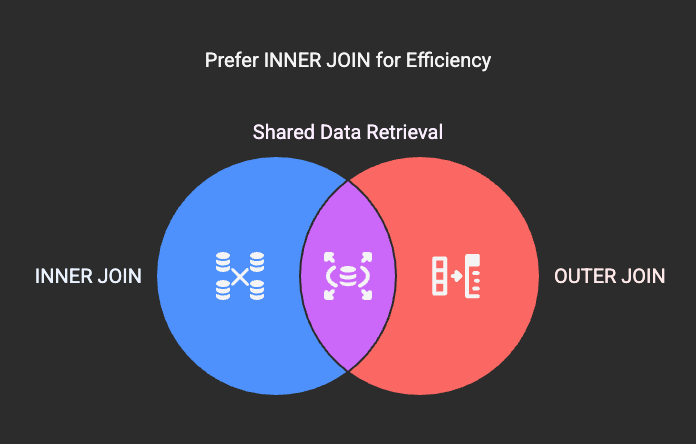
Using INNER JOIN instead of OUTER JOIN can significantly improve query performance, especially when you don’t need to include unmatched rows from one or both tables. INNER JOIN returns only the matching rows, reducing the dataset size and improving query speed.
🚀 Why It Works
• INNER JOIN reduces the result set size since it only returns rows that satisfy the join condition.
• It requires fewer resources and less memory, leading to faster execution.
• OUTER JOIN often requires sorting and merging unmatched rows, which adds extra processing overhead.
📌 Example
Let’s say we have two tables:CustomersandOrders.
Customerstable:
| customer_id | name | city ||------------|---------------|--------------|| 1 | Aman Gupta | Delhi || 2 | Priya Sharma | Mumbai || 3 | Rajesh Kumar | Bangalore || 4 | Anjali Singh | Kolkata |
Orderstable:
| order_id | customer_id | order_date ||----------|-------------|------------|| 101 | 1 | 2025-03-10 || 102 | 3 | 2025-03-12 || 103 | 1 | 2025-03-15 |
If you want to get the list of customers who have placed an order, you can use INNER JOIN instead of LEFT JOIN for better performance:
-- Using INNER JOIN (Better Performance)SELECT c.customer_id, c.name, o.order_dateFROM Customers cINNER JOIN Orders o ON c.customer_id = o.customer_id;
Output:
| customer_id | name | order_date ||-------------|---------------|------------|| 1 | Aman Gupta | 2025-03-10 || 1 | Aman Gupta | 2025-03-15 || 3 | Rajesh Kumar | 2025-03-12 |
If you use LEFT JOIN, it will return all customers, even those who haven’t placed an order:
-- Using LEFT JOIN (Less Efficient)SELECT c.customer_id, c.name, o.order_dateFROM Customers cLEFT JOIN Orders o ON c.customer_id = o.customer_id;
Output:
| customer_id | name | order_date ||-------------|---------------|------------|| 1 | Aman Gupta | 2025-03-10 || 1 | Aman Gupta | 2025-03-15 || 2 | Priya Sharma | NULL || 3 | Rajesh Kumar | 2025-03-12 || 4 | Anjali Singh | NULL |
✅ Performance Gain
• INNER JOIN reduces the result set size by excluding unmatched rows.
• LEFT JOIN keeps unmatched rows, increasing memory usage and processing time.
• For large datasets, INNER JOIN performs better due to fewer rows to process.
🔥 When to Use INNER JOIN
✅ When you only need matching rows from both tables.
✅ When working with large datasets where performance is critical.
✅ When you don’t need data from non-matching rows.
❌ When to Use OUTER JOIN
❌ When you need to include unmatched rows from one or both tables.
❌ When generating reports that require complete data sets, even if some fields are null.