Minimize the Use of DISTINCT for Better Query Performance
Why DISTINCT Can Be Costly?
Why DISTINCT Can Be Costly?—
Minimize the Use of DISTINCT for Better Query Performance
Why DISTINCT Can Be Costly?
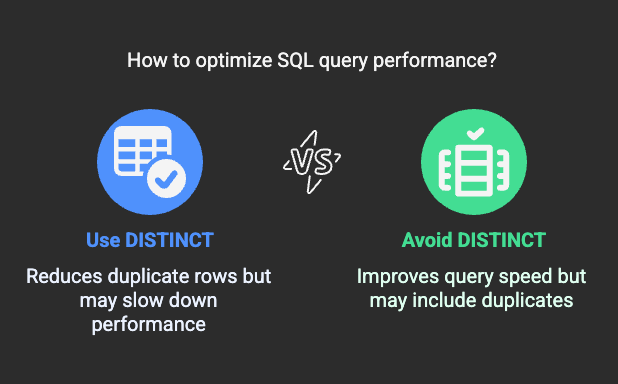
The DISTINCT keyword is used to eliminate duplicate rows from query results. While it seems like a simple and useful feature, its overuse can severely impact query performance, especially on large datasets.
DISTINCT forces the database to perform additional operations such assortingorhashing, which can lead to:
- Increased CPU and memory usage
- Slower query execution
- Unnecessary processing overhead
Instead of using DISTINCT by default, consider alternative query optimizations to achieve the same result more efficiently.
How DISTINCT Affects Performance?
1. Requires Sorting or Hashing
To remove duplicates, the database mustsortorhashthe result set, which consumes additional time and resources.
2. Unnecessary Overhead When Data is Already Unique
In many cases, duplicates arise from improper joins or redundant selections. Instead of fixing the root cause, developers often use DISTINCT as a quick fix, which may not be needed.
3. Causes Performance Bottlenecks on Large Datasets
As data volume increases, the cost of sorting and deduplication grows, making queries significantly slower.
Examples of Performance Issues and Optimized Alternatives
1. Using DISTINCT on an Indexed Column (Bad Practice)
SELECT DISTINCT customer_id FROM orders;
Problem:
If customer_id is already unique in orders, DISTINCT is unnecessary.
Optimized Query:
SELECT customer_id FROM orders;
Solution:
Remove DISTINCT when querying a column that is already unique due to indexing or constraints.
2. Using DISTINCT Due to a Poor Join (Bad Practice)
SELECT DISTINCT customers.name, orders.order_id FROM customers JOIN orders ON customers.customer_id = orders.customer_id;
Problem:
The join may be causing duplicate customer names due to multiple orders.
Optimized Query:
SELECT customers.name, MIN(orders.order_id) FROM customers JOIN orders ON customers.customer_id = orders.customer_id GROUP BY customers.name;
Solution:
Instead of DISTINCT, useaggregation (MIN, MAX, COUNT)to return a meaningful value while reducing duplicate rows.
3. Using DISTINCT on Subqueries Instead of EXISTS (Bad Practice)
SELECT DISTINCT customer_id FROM orders WHERE customer_id IN (SELECT customer_id FROM customers);
Problem:
The DISTINCT removes duplicates, but the query could be written more efficiently.
Optimized Query Using EXISTS:
SELECT customer_id FROM orders WHERE EXISTS (SELECT 1 FROM customers WHERE customers.customer_id = orders.customer_id);
Solution:
Use EXISTS instead of IN with DISTINCT to improve performance.
Best Practices to Minimize the Use of DISTINCT
1. Check for Unnecessary Duplicates
Before using DISTINCT, analyze whether the duplicates arise from:
- Improper joins
- Redundant columns
- Data modeling issues
2. Use Proper Indexing and Constraints
Ensure primary keys and unique constraints are applied to prevent unnecessary duplicate rows in queries.
3. Use Aggregation Functions Instead
Functions like MIN(), MAX(), and COUNT(DISTINCT column) are often more efficient than DISTINCT alone.
4. Optimize Joins and Subqueries
Use EXISTS instead of IN, and consider GROUP BY instead of DISTINCT where applicable.
Conclusion
Using DISTINCT indiscriminately can lead to poor query performance by forcing sorting and duplicate removal operations. Instead of relying on DISTINCT, analyze query logic, optimize joins, and use indexing to achieve better results with lower computational costs.