Use UNION ALL Instead of UNION for Better Query Performance
Understanding UNION and UNION ALL
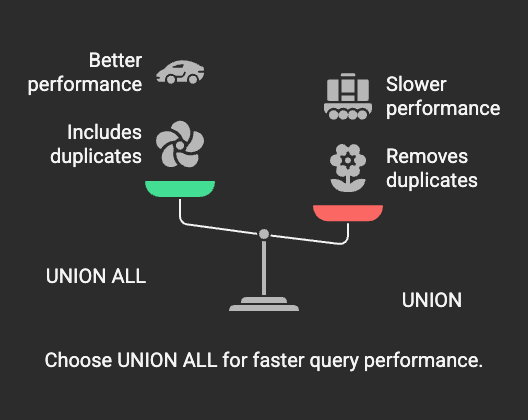
Use UNION ALL Instead of UNION for Better Query Performance
Understanding UNION and UNION ALL
Both UNION and UNION ALL are used to combine results from multiple SELECT queries. However, they function differently:
- UNIONremoves duplicate rows from the final result set by performing an implicit DISTINCT operation.
- UNION ALLsimply combines the result setswithoutremoving duplicates, making it much faster.
Why UNION Can Be Expensive?
The default behavior of UNION requires the database to:
1.Sortorhashthe combined result set to identify duplicates.
2.Deduplicatethe data, which adds processing overhead.
3.Use additional memory and CPU, especially on large datasets.
In contrast, UNION ALL skips these steps, making it significantly more efficient.
Performance Comparison
Using UNION (Bad Practice if Unnecessary)
SELECT name, email FROM customers UNION SELECT name, email FROM employees;
Problem:
- The database must sort and remove duplicates, even if no duplicates exist.
- This increases CPU and memory usage unnecessarily.
Using UNION ALL (Optimized Approach)
SELECT name, email FROM customers UNION ALL SELECT name, email FROM employees;
Solution:
- The database directly merges the resultswithout extra computation.
- Ideal when duplicate removal is not needed.
When to Use UNION vs. UNION ALL
•Use UNION when:
- You need to remove duplicate rows from the result set.
- Performance is not a major concern.
- The datasets being combined may have overlapping data.
- The result set is small, so sorting and deduplication won’t cause performance issues.
•Use UNION ALL when:
- Performance is a priority, and you want faster query execution.
- You do not need to remove duplicates.
- The datasets being combined are already distinct.
- The result set is very large, and avoiding sorting/deduplication saves resources.
Examples of Optimizing UNION Usage
1. Avoiding UNION When Data Is Already Unique
If the datasets being merged have no overlapping data, UNION is unnecessary.
SELECT id, name FROM users WHERE role = 'admin' UNION ALL SELECT id, name FROM users WHERE role = 'customer';
Why?
Since an id cannot be both an admin and a customer, duplicates will never exist. UNION ALL is the correct choice.
2. Using DISTINCT Instead of UNION
If only one column needs deduplication, use DISTINCT on the final output instead of UNION.
Inefficient Query Using UNION
SELECT email FROM customers UNION SELECT email FROM employees;
Optimized Query Using DISTINCT
SELECT DISTINCT email FROM ( SELECT email FROM customers UNION ALL SELECT email FROM employees ) AS combined_data;
Why?
- UNION ALL avoids unnecessary sorting.
- DISTINCT is appliedonly once, reducing computational cost.
3. Using EXISTS Instead of UNION
In some cases, using EXISTS can eliminate the need for UNION.
Inefficient Query Using UNION
SELECT user_id FROM orders UNION SELECT user_id FROM transactions;
Optimized Query Using EXISTS
SELECT user_id FROM orders WHERE EXISTS ( SELECT 1 FROM transactions WHERE transactions.user_id = orders.user_id );
Why?
- The EXISTS clause stops checking after finding the first match, reducing execution time.
- This is often more efficient than merging full datasets.
Key Takeaways
- Use UNION ALL whenever possibleto improve performance.
- Only use UNION when duplicate removal is necessary.
- Check if datasets are naturally uniquebefore using UNION.
- Consider DISTINCT or EXISTS as alternativesfor better efficiency.
By making these optimizations, you can significantlyreduce query execution time,lower resource usage, andimprove overall database performance. 🚀