Avoid Functions on Indexed Columns in WHERE Clause for Optimal Performance
Why Indexed Columns Matter in Queries?
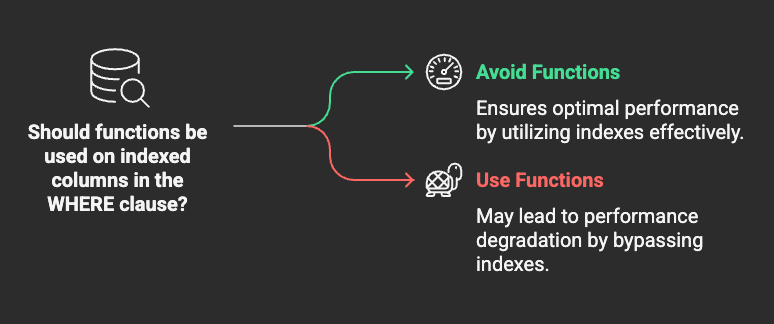
Why Indexed Columns Matter in Queries?—
Avoid Functions on Indexed Columns in WHERE Clause for Optimal Performance
Why Indexed Columns Matter in Queries?
Indexes are a powerful way to improve database query performance by allowing quick lookups instead of scanning entire tables. However, improper usage of indexed columns — such as applying functions in the WHERE clause — can significantly degrade query performance.
When a function is applied to an indexed column in the WHERE clause, the database engine may be forced to perform afull table scaninstead of using the index efficiently.
How Functions on Indexed Columns Affect Performance
1. Index Cannot Be Used Efficiently
When a function is applied to an indexed column, the database engine may not recognize the indexed values as they are stored. Instead of performing anindex seek, the optimizer may resort to afull table scan, leading to slower query execution.
2. Increased CPU and I/O Usage
Full table scans result in more disk reads and CPU usage, especially on large datasets. This can significantly slow down performance and increase server load.
3. Unnecessary Performance Bottlenecks
If queries frequently involve functions on indexed columns, database performance can degrade over time as workloads increase.
Examples of Performance Issues
Inefficient Query (Using a Function on an Indexed Column)
SELECT * FROM users WHERE LOWER(username) = 'john_doe';
Problem:If username is indexed, applying LOWER() forces the database to scan every row and apply LOWER() before comparing values.
Optimized Query (Avoiding Functions on Indexed Column)
SELECT * FROM users WHERE username = 'John_Doe';
Solution:If case-insensitive matching is required, consider using acase-insensitive collationinstead of functions.
Example 2: Date Functions on Indexed Columns
Inefficient Query (Applying a Function to a Date Column)
SELECT * FROM orders WHERE YEAR(order_date) = 2024;
Problem:The YEAR(order_date) function is applied to every row, making it impossible to use an index efficiently.
Optimized Query (Avoiding Functions on Indexed Column)
SELECT * FROM orders WHERE order_date >= '2024-01-01' AND order_date < '2025-01-01';
Solution:Use range conditions instead of functions. This allows the database to leverage the index efficiently.
Best Practices to Avoid Functions on Indexed Columns
1. Use Precomputed or Stored Values
Instead of applying functions at query time, store the computed values in a separate column if necessary.
2. Use Index-Friendly Comparisons
Always try to compare columns directly to avoid applying transformations within the WHERE clause.
3. Consider Functional Indexes (If Supported)
Some databases, like PostgreSQL and Oracle, supportfunctional indexes, which store precomputed function results.
Example:
CREATE INDEX idx_lower_username ON users (LOWER(username));
Then, the query:
SELECT * FROM users WHERE LOWER(username) = 'john_doe';
can use the index efficiently.
4. Use Proper Data Types and Collations
- Usecase-insensitive collationfor text columns if needed.
- Store dates intimestampordateformats instead of strings.
Conclusion
Applying functions to indexed columns in the WHERE clause can severely impact query performance by preventing efficient index usage. By restructuring queries to avoid these functions, databases can execute queries faster, reduce CPU and I/O usage, and maintain high performance even as data grows.