Use EXISTS Instead of IN for Subqueries
Using EXISTS instead of IN for subqueries can significantly improve query performance, especially when dealing with large datasets. While…
Using EXISTS instead of IN for subqueries can significantly improve query performance, especially when dealing with large datasets. While…—
Use EXISTS Instead of IN for Subqueries
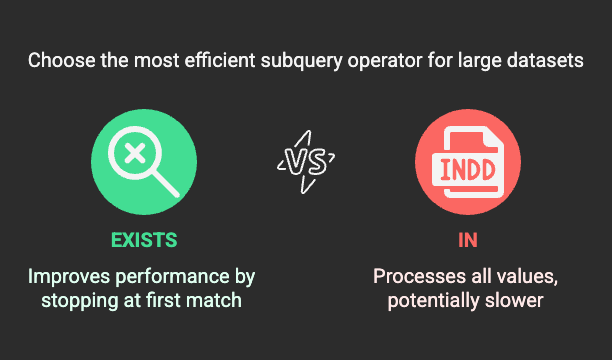
Using EXISTS instead of IN for subqueries can significantly improve query performance, especially when dealing with large datasets. While both serve similar purposes, EXISTS is often more efficient because it stops searching as soon as it finds a match, whereas IN processes all values before returning a result.
🔍 Why It Works
- IN processes all values from the subquery, which can be slow if the inner query returns a large result set.
- EXISTS stops checking once it finds the first match, making it faster for large datasets.
- EXISTS allows the database to use indexes more efficiently, reducing execution time.
📌 Example
Let’s say we have two tables:CustomersandOrders.
Customers Table
| customer_id | name | city ||------------|--------------|------------|| 1 | Aman Gupta | Delhi || 2 | Priya Sharma | Mumbai || 3 | Rajesh Kumar | Bangalore || 4 | Anjali Singh | Kolkata |
Orders Table
| order_id | customer_id | order_date ||----------|------------|-------------|| 101 | 1 | 2025-03-10 || 102 | 3 | 2025-03-12 || 103 | 1 | 2025-03-15 |
❌ Using IN (Less Efficient)
SELECT name FROM Customers WHERE customer_id IN (SELECT customer_id FROM Orders);
- The subquery retrieves all customer_id values from Orders, stores them in memory, and then matches them with Customers.
- If Orders has a large number of rows, this can be slow.
✅ Using EXISTS (More Efficient)
SELECT name FROM Customers c WHERE EXISTS ( SELECT 1 FROM Orders o WHERE o.customer_id = c.customer_id);
- The subquery stops searching as soon as it finds a match.
- It does not store all results in memory, improving efficiency.
- The SELECT 1 inside EXISTS is a convention — it returns a constant value because EXISTS only checks for row existence.
📊 Performance Comparison
| Approach | Execution Speed | Memory Usage | Index Utilization ||-----------|----------------|--------------|--------------------|| IN | Slower | High | Limited || EXISTS | Faster | Low | Better Index Usage |
🔥 When to Use EXISTS
✅ When the subquery returns a large dataset.
✅ When checking for row existence instead of matching values.
✅ When working with indexed columns for better performance.
❌ When to Use IN
❌ When the subquery returns a small, fixed dataset (e.g., a few values).
❌ When working with simple static lists instead of subqueries.
🏆 Final Thoughts
If your subquery involves large datasets, using EXISTS can improve performance significantly. Always test both approaches and analyze execution plans to determine the best choice for your use case.