Avoid SELECT * for Better SQL Performance
When working with SQL, one of the most common and tempting shortcuts is to use SELECT to fetch all columns from a table. While it might…
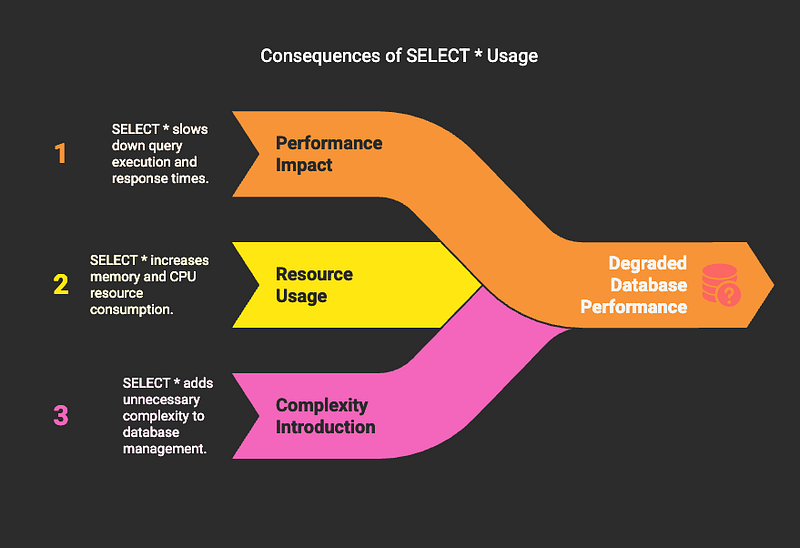
When working with SQL, one of the most common and tempting shortcuts is to use SELECT * to fetch all columns from a table. While it might…—
Avoid SELECT * for Better SQL Performance
When working with SQL, one of the most common and tempting shortcuts is to use SELECT * to fetch all columns from a table. While it might seem convenient, using SELECT * is often a poor practice that can degrade database performance, increase resource usage, and introduce unnecessary complexity into your application.
In this post, we’ll explore why you should avoid SELECT *, how it impacts performance, and what you should do instead.
Why SELECT * is Bad
1. Increased Data Transfer and Memory Usage
When you use SELECT *, the database retrieves all columns from the table — even the ones you don’t need. This increases the amount of data transferred from the database to the application, leading to:
✅ Higher network load
✅ Increased memory usage on the client side
✅ Slower query execution due to handling unnecessary data
🔎 Example:
Suppose Ravi has a users table:
CREATE TABLE users ( id INT, name VARCHAR(50), email VARCHAR(50), address TEXT, created_at TIMESTAMP);
Now, Ravi wants to retrieve only the id and name of users:
❌Bad Approach:
SELECT * FROM users;
This retrieves all columns — id, name, email, address, and created_at — even though only id and name are needed.
✅Better Approach:
SELECT id, name FROM users;
This retrieves only the necessary columns, reducing data transfer and improving query efficiency.
2. Index Inefficiency
If the table has an index on specific columns and you use SELECT *, the database might not be able to take full advantage of the index. When you explicitly mention only the indexed columns, the query can be optimized better.
🔎 Example:
If Ravi’s users table has an index on id and name:
CREATE INDEX idx_users ON users (id, name);
❌Bad Approach:
SELECT * FROM users WHERE id = 1;
This forces the database to scan all columns instead of using the index efficiently.
✅Better Approach:
SELECT id, name FROM users WHERE id = 1;
This allows the database to efficiently use the index and improve performance.
3. Schema Dependency
Using SELECT * creates a tight coupling between your query and the table schema. If new columns are added to the table, the query will automatically pull in those new columns — even if they’re not required — which could:
✅ Break existing application logic
✅ Introduce performance degradation due to extra data retrieval
🔎 Example:
Ravi’s users table initially has these columns:
• id, name, email
Later, a new column password is added.
❌Bad Approach:
SELECT * FROM users;
This will also pull in the password column, which could expose sensitive data unintentionally.
✅Better Approach:
SELECT id, name, email FROM users;
This ensures that only the necessary columns are retrieved, even if the schema changes.
4. Impact on Query Caching
When you use SELECT *, the query result may vary if the table schema changes, which reduces the efficiency of query caching. Explicitly defining the columns allows consistent query results and better cache utilization.
✅Explicit query = Better cache hit rate
*How to Avoid SELECT **
👉Explicitly list the required columns— Always mention the specific columns you need instead of using *.
👉Use Views if needed— If you frequently need a specific set of columns, create a view for better performance.
👉*Avoid dynamic queries with **— Hard-code the required columns in your SQL queries.
Why It Works
1.Less Data Transfer:Reduces network load and improves response time.
2.Better Index Utilization:Optimizes query execution using available indexes.
3.Improved Query Caching:More consistent query patterns increase cache hit rate.
4.Reduced Memory Usage:Less data means lower memory consumption on the client side.
✅ Summary
Using SELECT * might save a few keystrokes, but it can significantly degrade query performance and increase resource consumption. Always select only the columns you need, optimize your queries for indexing, and ensure that your schema changes don’t impact query results.
By following these best practices, you’ll write cleaner, more efficient SQL queries — and your database will thank you for it! 😎
Want to improve your SQL skills further? Stay tuned for the next post! 👊