Mastering Indexes in SQL: A Complete Guide
Indexes are one of the most powerful tools to improve the performance of SQL queries. Without proper indexing, even the most optimized…
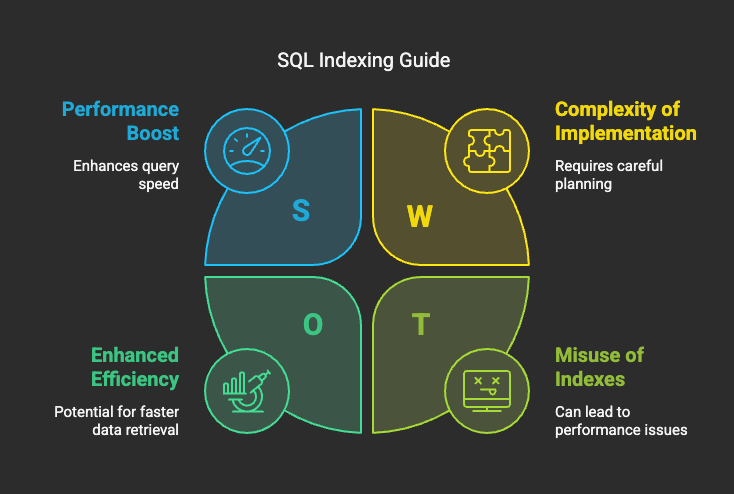
Indexes are one of the most powerful tools to improve the performance of SQL queries. Without proper indexing, even the most optimized…—
Mastering Indexes in SQL: A Complete Guide
Indexes are one of the most powerful tools to improve the performance of SQL queries. Without proper indexing, even the most optimized query can take forever to execute, especially when dealing with large datasets. In this guide, we’ll explore the different types of indexes, their use cases, and how to implement them effectively to speed up your database queries.
What is an Index?
An index is a data structure that improves the speed of data retrieval operations on a database table at the cost of additional space and maintenance overhead. Think of an index like the table of contents in a book — it helps you find specific information quickly without having to read through the entire content.
Why Are Indexes Important?
- ✅ Faster SELECT queries.
- ✅ Quicker data lookup and sorting.
- ✅ Improved performance for JOIN, WHERE, GROUP BY, and ORDER BY clauses.
- ✅ Reduced disk I/O.
However, indexes also introduce some trade-offs:
- ❌ They consume additional storage.
- ❌ They slow down INSERT, UPDATE, and DELETE operations since the index must be maintained with each data modification.
Types of Indexes
1. Single-Column Index
A single-column index is created on a single column of a table. It helps improve the performance of queries that filter, sort, or search based on that specific column.
Example:
CREATE INDEX idx_employee_name ON employees (name);
✅ Best for:
- Simple WHERE and ORDER BY queries on a single column.
- Common lookup queries.
❌ Limitations:
- Not effective for queries involving multiple columns.
Why It Works:
When you create a single-column index, the database stores the column values in a sorted data structure (usually a B-Tree). This allows the database to usebinary searchinstead of scanning the entire table, reducing the lookup time from O(n) to O(log n).
2. Composite Index
A composite index is created on two or more columns. It allows the database to use a single index for queries involving multiple columns.
Example:
CREATE INDEX idx_employee_department ON employees (department, salary);
✅ Best for:
- Queries with multiple WHERE conditions.
- Sorting and filtering on multiple columns.
❌ Limitations:
- The order of the columns matters; queries should follow the order of the composite index for optimal performance.
Why It Works:
A composite index works by creating amulti-dimensional B-Treestructure, where the first column serves as the primary key for sorting and the second column helps further refine the search. This reduces the search space significantly when filtering on multiple columns.
3. Covering Index
A covering index includes all the columns required by a query. The database can satisfy the query using only the index without needing to access the actual table data.
Example:
CREATE INDEX idx_employee_covering ON employees (name, department, salary);
✅ Best for:
- Queries with SELECT statements that need to retrieve specific fields.
- Reducing disk I/O.
❌ Limitations:
- High storage requirement due to the inclusion of multiple columns.
Why It Works:
Since the index already contains all the data needed by the query, the database can return the result directly from the index without needing to read from the table. This reduces disk I/O and improves speed.
4. Unique Index
A unique index ensures that the indexed column(s) contain unique values. If a duplicate value is inserted, the database will throw an error.
Example:
CREATE UNIQUE INDEX idx_employee_email ON employees (email);
✅ Best for:
- Enforcing data integrity.
- Preventing duplicate values.
❌ Limitations:
- Cannot be used for columns that allow duplicates.
Why It Works:
The database uses ahash mapor a sorted B-Tree to store the unique values. When inserting a new value, the database checks if the value already exists — if it does, the operation is rejected.
5. Full-Text Index
A full-text index allows efficient searching of text data. It’s especially useful for LIKE or MATCH operations involving large text fields.
Example:
CREATE FULLTEXT INDEX idx_employee_description ON employees (description);
✅ Best for:
- Complex text searches.
- Searching for specific keywords or patterns.
❌ Limitations:
- Not available in all database systems.
- Higher storage requirement.
Why It Works:
Full-text indexes use a technique similar to aninverted index(used in search engines). The text is tokenized, and each word is mapped to its location in the table. This allows fast lookup of text-based data.
6. Clustered Index
A clustered index determines the physical order of data in a table. Each table can have only one clustered index.
Example:
CREATE CLUSTERED INDEX idx_employee_id ON employees (id);
✅ Best for:
- Fast retrieval of data using the primary key.
- Sorting data physically on disk.
❌ Limitations:
- Additional storage overhead.
- Slower INSERT operations due to data reordering.
Why It Works:
In a clustered index, the data rows are physically stored in the order of the indexed column. This allows fast retrieval since the data is already sorted in memory.
7. Non-Clustered Index
A non-clustered index creates aseparate structurethat stores the indexed columns along with a pointer to the actual row in the table. The data itself remains unsorted; only the index is sorted. A table can havemultiple non-clustered indexes. A regular index is essentially the same as anon-clustered index— most databases use the terms interchangeably.
Example:
CREATE INDEX idx_employee_salary ON employees (salary);
✅ Best for:
- Fast lookups on non-primary key columns.
- Supporting JOIN, WHERE, and ORDER BY clauses.
❌ Limitations:
- Additional storage requirement.
- Slower maintenance during data updates.
Why It Works:
The non-clustered index creates asecondary data structurethat holds a sorted list of the indexed values and a pointer to the actual data location. This allows fast lookups but requires an extra step to access the data.
Best Practices for Creating Indexes
- ✅ Use indexes on frequently used columns in WHERE, JOIN, GROUP BY, and ORDER BY clauses.
- ✅ Keep the number of indexes reasonable to avoid high maintenance costs.
- ✅ Use composite indexes when queries involve multiple columns.
- ✅ Avoid indexing columns with high update frequency.
- ✅ Remove unused indexes to free up storage and improve write performance.
When NOT to Use Indexes
- ❌ When the table is small — indexing overhead may exceed performance gains.
- ❌ On columns with low cardinality (few distinct values).
- ❌ When the data is frequently updated, inserted, or deleted.
- ❌ When the query already returns a very small result set.
Conclusion
Proper indexing can make or break your database performance. By understanding the different types of indexes and applying them appropriately, you can significantly speed up data retrieval while maintaining a balanced write performance. Keep track of how often your queries are executed and adjust the indexing strategy based on real-world usage patterns.
✅Tip:If you found this guide helpful, don’t forget to follow me for more SQL and backend tips!