🔃 Optimize ORDER BY with Indexing for Faster SQL Queries
When writing SQL queries that include an ORDER BY clause, performance can degrade significantly, especially on large datasets. One of the most effective ways...
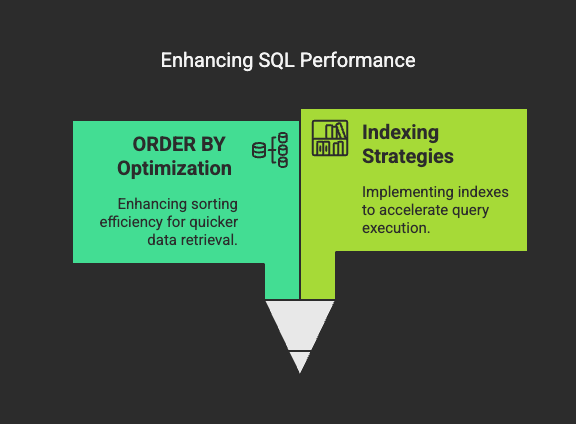
🔃 Optimize ORDER BY with Indexing for Faster SQL Queries
When writing SQL queries that include an ORDER BY clause, performance can degrade significantly, especially on large datasets. One of the most effective ways to boost performance is tooptimize ORDER BY with indexing. In this post, we’ll explore why this matters, how to implement it effectively, and what pitfalls to avoid.
💡 Why Does ORDER BY Slow Down Queries?
The ORDER BY clause forces the database engine to sort rows before returning results. This sorting operation can beexpensive, particularly when:
- No suitable index exists on the column(s) being sorted.
- The table has a large number of rows.
- Sorting involves computed expressions or multiple columns.
By default, if no index helps with the ordering, the DB engine must do afull sort in memory or on disk, which is much slower.
✅ How Indexing Helps
ORDER BY
When a query’s sorting columns arecovered by an index, the database engine canread the rows in sorted order directlyfrom the index without needing an extra sort step.
This reduces:
- CPU usage
- Memory overhead
- Disk I/O
Result? 🚀 Blazing fast performance.
🔍 Example Without Index
SELECT * FROM ordersORDER BY order_date DESC;
If the orders table has no index on order_date, the database will sort all rows before returning them.
🔧 Example With Proper Index
-- Create an index to support ORDER BYCREATE INDEX idx_order_date ON orders(order_date DESC);-- Now the same query:SELECT * FROM orders ORDER BY order_date DESC;
The database can nowuse the index to return the results in order, avoiding the need to sort manually.
🧠 Composite Index for Multi-Column ORDER BY
SELECT * FROM ordersORDER BY customer_id, order_date;
Create an index that matches the ORDER BY clause:
CREATE INDEX idx_customer_order_date ON orders(customer_id, order_date);
⚠️Column order in the index matters.The index must match the sort order exactly for the optimizer to use it efficiently.
⚠️ Common Pitfalls
❌ Using Functions in ORDER BY
SELECT * FROM usersORDER BY LOWER(last_name);
If there’s an index on last_name, itwon’t be useddue to the function. Consider normalizing data or creating a computed column.
❌ Mixing ASC and DESC in Different Columns
ORDER BY customer_id ASC, order_date DESC;
In many databases, indexes can’t be used efficiently when sort directions differ. You may need specialized or multiple indexes.
📈 When Index Won’t Help
Even with an index, ORDER BY might still trigger a sort if:
- Columns in the ORDER BY clause are notleading columnsin the index.
- The WHERE clause filters out too many rows.
- The query planner estimates a full scan is more efficient.
UseEXPLAIN or ANALYZEto verify if your index is actually being used.
🧪 Test With
EXPLAIN
Always test your query:
EXPLAIN SELECT * FROM orders ORDER BY order_date DESC;
This will show if the index is used or a sort operation is triggered.
🧰 Pro Tip
If you frequently paginate results:
SELECT * FROM ordersORDER BY order_date DESCLIMIT 10 OFFSET 100;
Use an index on order_date DESC to make it efficient.
🏁 Conclusion
The ORDER BY clause is often overlooked as a performance bottleneck. By creating appropriate indexes and avoiding common pitfalls, you can significantly speed up your queries.
TL;DR:
- Match indexes to your ORDER BY clause.
- Avoid functions or expressions in sorting.
- Use composite indexes carefully.
- Always validate with EXPLAIN.
Optimizing ORDER BY with indexing is a small tweak that can lead to massive gains in large, real-world databases. Start applying this today and watch your query times drop!