🧠 Normalize and Denormalize Strategically for Scalable Database Design
When designing databases, we often hear two seemingly conflicting principles:
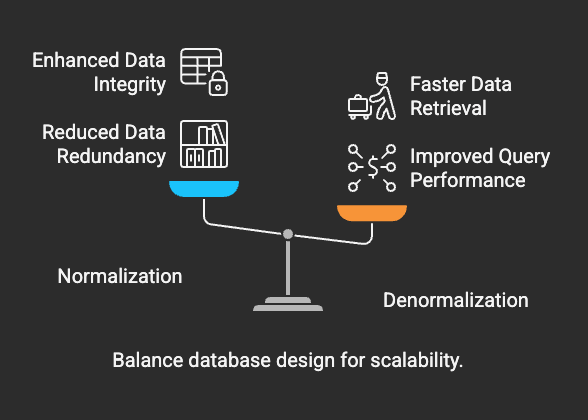
🧠 Normalize and Denormalize Strategically for Scalable Database Design
When designing databases, we often hear two seemingly conflicting principles:
“Normalize for data integrity”
“Denormalize for performance”
Both are true — it’s all aboutknowing whento use each.
📚 Recap: Normalization vs. Denormalization
🗾️ Real-World Example 1: Reporting Dashboard
Scenario:
You’re building a reporting dashboard to show customer purchases, total spent, and product info.
🔎 Normalized Schema
Tables:
Customers (customer_id, name, email)Orders (order_id, customer_id, order_date, total)Products (product_id, name, price)Order_Items (order_id, product_id, quantity)
Query (Normalized):
SELECT c.name, p.name AS product_name, oi.quantity, o.order_dateFROM Customers cJOIN Orders o ON c.customer_id = o.customer_idJOIN Order_Items oi ON o.order_id = oi.order_idJOIN Products p ON oi.product_id = p.product_idWHERE o.order_date >= '2024-01-01';
Execution Stats (PostgreSQL EXPLAIN ANALYZE):
- Execution Time: 423 ms
- Rows Returned: 10,000
- Joins: 4 (nested loop joins observed)
🚀 Denormalized Schema
Single Table:Sales_Report
customer_name,email,product_name,order_date,quantity,price,total
Query (Denormalized):
SELECT customer_name, product_name, quantity, order_dateFROM Sales_ReportWHERE order_date >= '2024-01-01';
Execution Stats:
- Execution Time: 108 ms
- Rows Returned: 10,000
- No joinsneeded
📈Performance Gain: ~4x faster reads
🗾️ Real-World Example 2: E-Commerce Transactions
Scenario:
You manage real-time purchases. High write volume.
🔎 Normalized Schema
Insert Order:
BEGIN;INSERT INTO Orders (...) VALUES (...);INSERT INTO Order_Items (...) VALUES (...);COMMIT;
Pros:
- Fast inserts
- Small write footprint
- Referential integrity maintained
Write Performance:
- Insert Time: ~12 ms per order
🗳️ Denormalized Schema (Flat Table: Orders_Denormalized)
- Fields:
order_id,customer_name,product_1,product_2,product_3, …
Problems:
- Difficult to scale product entries
- Inserts involve more columns
- Challenging to update
Write Performance:
- Insert Time: ~32 ms per order
📉 2.5xslower writes
🔪 Real-World Example 3: Analytics Over Millions of Rows
Scenario:
Monthly sales report across regions and product categories.
🔎 Normalized Query:
SELECT r.name AS region, p.category, SUM(oi.quantity * p.price) AS total_salesFROM Orders oJOIN Order_Items oi ON o.order_id = oi.order_idJOIN Products p ON oi.product_id = p.product_idJOIN Regions r ON o.region_id = r.region_idGROUP BY r.name, p.category;
Execution Time: ~780 ms on 5 million rows
🚀 Denormalized Query:
SELECT region, product_category, SUM(quantity * price) AS total_salesFROM Sales_SummaryGROUP BY region, product_category;
Execution Time: ~140 ms
📈Performance Boost: ~5.5x faster
🧠 Key Takeaways
💡 Bonus Tips
- Usematerialized viewsto combine best of both worlds: normalized base + denormalized read performance.
- Monitor slow queries using
EXPLAINand logs to detect join bottlenecks. - Applyindexingsmartly when denormalizing — duplicated data won’t save poor access paths.
✅ Conclusion
Strategic normalization and denormalization is a superpower. With proper balance:
- You ensureclean data models
- Achievefast analytics
- Build databases that scale with your app 🚀