🧠 Mastering EXPLAIN/ANALYZE: Become a DB Query Optimization Pro
`EXPLAIN`(or`EXPLAIN ANALYZE`) is a tool offered by almost every SQL based RDBMS to help developers and DBAs understand how the database plans to execute (or...
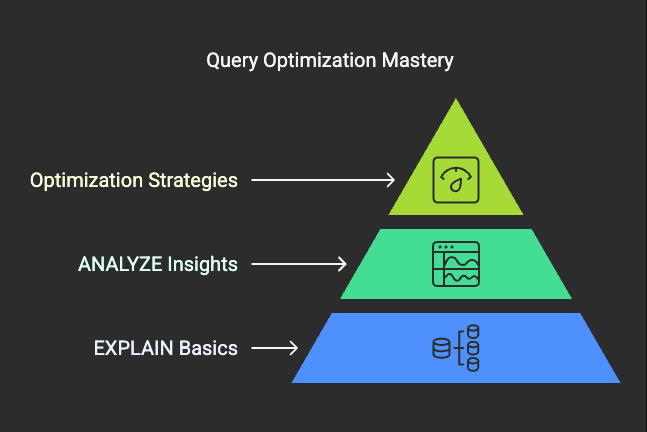
🧠 Mastering EXPLAIN/ANALYZE: Become a DB Query Optimization Pro
🔍 What is EXPLAIN/ANALYZE?
EXPLAIN(orEXPLAIN ANALYZE) is a tool offered by almost every SQL-based RDBMS to help developers and DBAs understand how the database plans to execute (or has executed) a query.
EXPLAINshows theplannedexecution.EXPLAIN ANALYZEexecutes the query and shows theactualexecution plan with timings.
🧱 Why Use It?
- To identifybottlenecksin query execution
- To detectunintended full scansorslow joins
- Tocompare performancebefore and after query/index changes
📚 How to Read EXPLAIN Output (PostgreSQL Example)
EXPLAIN ANALYZESELECT * FROM orders WHERE customer_id = 101;
Sample Output:
Index Scan using idx_customer_id on orders (cost=0.29..8.50 rows=1 width=52) Index Cond: (customer_id = 101)
Key Terms Explained:
- Index Scan: Uses an index (good!)
- cost=0.29..8.50: Estimated startup and total cost
- rows=1: Estimated number of rows returned
- width=52: Estimated size in bytes of each row
🛠️ Example 1: Full Table Scan Problem
Query:
SELECT * FROM orders WHERE total_amount > 1000;
EXPLAIN Output:
Seq Scan on orders (cost=0.00..1023.50 rows=500 width=52) Filter: (total_amount > 1000)
🚫 Problem:
- Sequential scan used instead of index
- Cost is high
✅ Fix:
CREATE INDEX idx_total_amount ON orders(total_amount);
Rerun EXPLAIN:
Index Scan using idx_total_amount on orders (cost=0.29..20.50 rows=500 width=52)
Result: Faster lookup via index
🛠️ Example 2: JOIN Performance
Query:
SELECT * FROM orders o JOIN customers c ON o.customer_id = c.id WHERE c.country = 'India';
EXPLAIN Output:
Hash Join (cost=35.00..1045.00 rows=100 width=104) Hash Cond: (o.customer_id = c.id) -> Seq Scan on orders o -> Hash (cost=20.00..20.00 rows=500) -> Seq Scan on customers c Filter: (country = 'India')
🚫 Problem:
- Both tables scanned fully
- No filters or indexes helping
✅ Fix:
CREATE INDEX idx_customers_country ON customers(country);
New EXPLAIN:
Nested Loop (cost=0.85..600.00 rows=100 width=104) -> Index Scan using idx_customers_country on customers c Filter: (country = 'India') -> Index Scan using idx_customer_id on orders o Index Cond: (o.customer_id = c.id)
Result: Better join performance using indexes
📦 Breakdown of Common EXPLAIN Terms
- Seq Scan (Sequential Scan): Full table scan. Can be slow for large datasets.
- Index Scan: Index-based access. Efficient and preferred for selective queries.
- Bitmap Index Scan: Combines multiple indexes; good when filtering on multiple conditions.
- Nested Loop Join: Efficient for small data sets or indexed join keys.
- Hash Join: Performs well for large, unsorted datasets.
- Merge Join: Great when both inputs are sorted — fast with large datasets.
🚀 Advanced Tip: Compare Actual vs Estimated
UseEXPLAIN ANALYZEinstead of justEXPLAINto:
- Detectrow estimation mismatches
- Validateindex effectiveness
- Tunestatistics and indexes
Example:
EXPLAIN ANALYZESELECT * FROM orders WHERE status = 'delivered';
Comparerows=vs actual rows returned to identify if the planner was off. If estimations are off, consider running:
ANALYZE orders;
🔁 Real World Problem: Skewed Data Distribution
Query:
SELECT * FROM transactions WHERE transaction_type = 'refund';
Ifrefundis rare and no histogram is available, planner may wrongly assume even distribution.
Solution:
ANALYZE VERBOSE transactions;
This creates detailed statistics that help the planner better estimate selectivity.
📊 Example: Aggregations with GROUP BY
EXPLAIN ANALYZESELECT country, COUNT(*) FROM customers GROUP BY country;
Ifcountrycolumn has no index, it might do a full scan and sort. Add an index to optimize grouping:
CREATE INDEX idx_customers_country ON customers(country);
✅ Checklist for Query Optimization with EXPLAIN
- ✅ Avoid
Seq Scanon large tables - ✅ Use appropriate indexes
- ✅ Keep stats updated (
ANALYZE) - ✅ Use
EXPLAIN ANALYZEto see actual timings - ✅ Compare estimated vs actual rows
- ✅ Use proper join strategies
- ✅ Monitor cost values for high queries
🧠 Conclusion
Learning to interpretEXPLAIN/ANALYZEoutput turns you into a database performance detective. With a bit of practice, you’ll spot inefficiencies, optimize queries, and scale systems with confidence.
🔥 With this guide and hands-on examples, you’re now on your way to becoming aDB Optimizer Pro.
Happy tuning! 🎯