🔍 Top SQL Concepts, Slang, and Keywords Every Developer Should Know
💡 Whether you’re just starting with databases or you’re optimizing complex analytics pipelines, knowing the right SQL terms — and the lingo used by pros — ca...
🔍 Top SQL Concepts, Slang, and Keywords Every Developer Should Know
💡 Whether you’re just starting with databases or you’re optimizing complex analytics pipelines, knowing the right SQL terms —and the lingo used by pros— can take your database game to the next level.
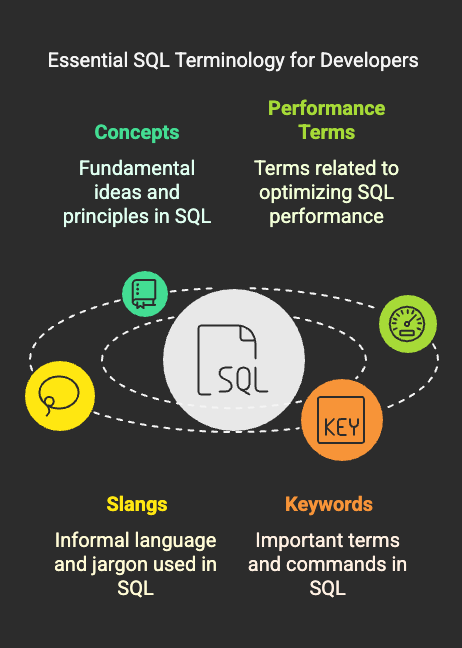
This guide breaks down theessential SQL concepts,performance terms,slang from real-world devs, andadvanced featuresyou’ll actually hear in interviews and tech teams.
🧠 Foundational SQL Concepts
Before diving deep, you need to know the building blocks:
- RDBMS— Relational Database Management System (e.g., PostgreSQL, MySQL, SQL Server)
- ACID— Guarantees reliable transactions:Atomicity, Consistency, Isolation, Durability
- DDL— Data Definition Language: CREATE, ALTER, DROP (defines schema)
- DML— Data Manipulation Language: SELECT, INSERT, UPDATE, DELETE (changes data)
- DCL— Data Control Language: GRANT, REVOKE (permissions)
- TCL— Transaction Control Language: BEGIN, COMMIT, ROLLBACK
⚙️ Performance & Optimization Terms
These terms pop up often when debugging slow queries or designing scalable systems:
- Query Plan— Roadmap for how the DB engine executes your query
- EXPLAIN / ANALYZE— Tools to inspect query execution step-by-step
- Statistics— Metadata like row count, value distribution, and index selectivity
- *Index Seek vs Scan
**🔍Seek= precise, fast lookup
🧹Scan*= reads entire index or table (slower) - Cardinality— Count of unique values in a column
- Selectivity— How well a condition filters rows (High selectivity = fewer rows = faster queries)
🧩 SQL Slang: Real-World Dev Speak
Jargon you’ll actually hear in engineering discussions:
- SARGable—Search ARGument able; means query can leverage indexes
- RBAR—Row By Agonizing Row; inefficient row-wise operations (avoid!)
- Fat Query— A bloated query trying to do too much (split it!)
- Hot Table— High-traffic table with frequent contention
- Deadlock— Two queries locking each other in a standoff
- Snowflake Join— Complex join structure with multiple dimension tables
- Zombie Connection— Orphaned DB session still consuming resources
- IO-bound— Query is limited by disk speed instead of CPU/memory
🗂️ Must-Know SQL Features
These are features you’ll use almost daily as a backend or data engineer:
- JOINs— Combine data from multiple tables: INNER, LEFT, RIGHT, FULL
- EXISTS vs IN— EXISTS is faster for correlated subqueries
- UNION vs UNION ALL— UNION ALL skips deduplication = better performance
- DISTINCT— Removes duplicates (can be slow for large datasets)
- ORDER BY— Sorts results (slower if no supporting index)
- GROUP BY— Aggregate rows for summary values (like SUM, COUNT)
- CTE (WITH)— Common Table Expressions for cleaner, modular queries
- Window Functions— Advanced analytics (ROW_NUMBER(), RANK(), LAG())
- LIMIT / OFFSET— Pagination tools (beware: OFFSET can be slow at scale)
🧪 Advanced & Niche Features
Great to know when you’re scaling systems or working in performance-critical environments:
- Materialized Views— Stored query results for faster reads
- Indexed Views— Views that support indexing (DB-specific)
- Partitioning— Break large tables into smaller chunks by range or hash
- Full-Text Search— Efficient keyword search in large text fields
- Memory-Optimized Tables— Keep data in RAM for ultra-low latency
- Query Caching— Caches execution results for repeated queries
🧾 Best Practices Recap
From real-world usage and industry standards:
❌ Avoidfunctions on indexed columnsin WHERE clause
🔁Normalize for consistency; denormalizefor performance
🔐 Useparameterized queriesto avoid SQL injection
📊 Regularlyupdate statisticsand rebuild indexes
🔎 UseEXPLAIN PLANbefore optimizing queries
⚡Minimize round-trips to the DB
🧮 Design differently forOLTP (write-heavy) vs OLAP (read-heavy)systems
🙋 FAQs
**Q: Why is SELECT * bad practice?
**A: It fetches unnecessary columns, increases network load, and can break code when schema changes.
**Q: When should I use indexes?
**A: On frequently filtered or joined columns. But too many indexes can slow down inserts/updates.
**Q: Why is OFFSET slow in pagination?
**A: Because the DB still scans/skips all previous rows to reach your page. Prefer cursor-based pagination for large datasets.
**Q: What’s the difference between INNER JOIN and LEFT JOIN?
**A: INNER JOIN returns only matched rows. LEFT JOIN returns all left table rows, matched or not.
**Q: Are all SQL engines the same?
**A: No. Syntax, performance tuning, and advanced features vary across PostgreSQL, MySQL, Oracle, SQL Server, etc.
🚀 Final Thought
Learning SQL is more than just memorizing queries — it’s about thinking in sets, optimizing performance, and speaking the language of data. With these concepts, keywords, and pro-level slang, you’ll not only write better queries, but alsounderstand what’s happening under the hood.
Master these and you’re already miles ahead of most developers 🧠⚡
💡Keep Leveling Up Your SQL Game
This blog is part of theSQL Query Performance Series— your roadmap to mastering high-performance, production-grade SQL.
From query plans to indexing strategies, we’ve got you covered!